How to Connect Your Phone to Your TV
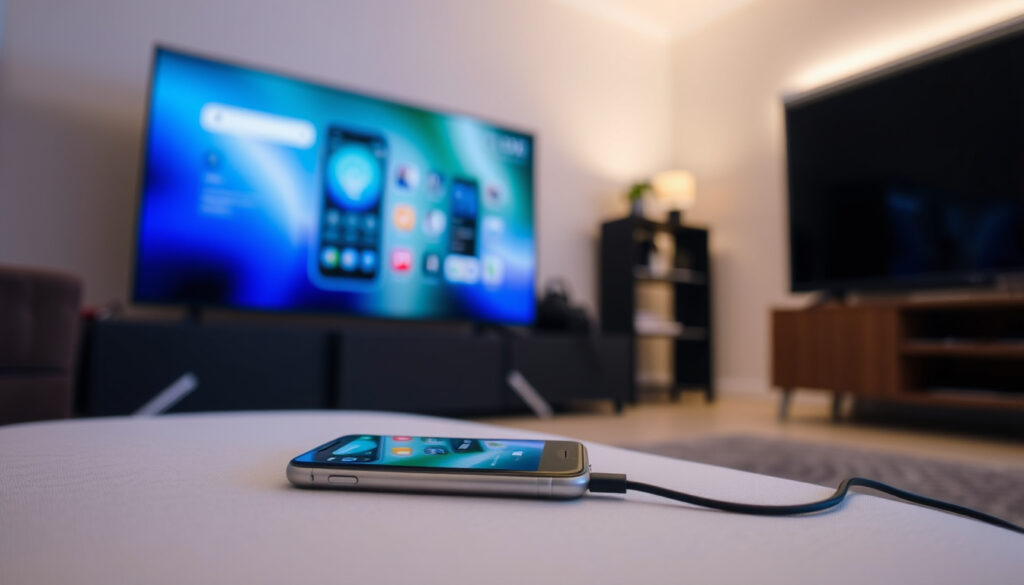
Anyone who’s ever tried to show a photo from their phone on a big screen knows the frustration of fumbling with cables and settings. The good news is that connecting your phone to your TV is easier than ever — whether you’re using a wireless stream or a simple wired adapter.
Avg time to set up wireless: 1–3 minutes ·
Avg time to set up wired: 2–5 minutes ·
Max resolution (wired): 4K @ 60Hz
(Sources: Android (Google) – official help, Gadgets 360 – tech news)
Quick snapshot
- HDMI cables support video and audio up to 4K (Android (Google) – official help)
- Chromecast requires same Wi-Fi network as phone (Gadgets 360 – tech news)
- AirPlay 2 works with most modern Smart TVs (iOS 12+) (AppGeeker – tech guide)
- Miracast is built into Android 5.0+ (Android (Google) – official help)
- Older Android phones (pre-5.0) may lack Miracast support – check device specs (TechRadar – tech media)
- Some budget Smart TVs may not support screen mirroring from iPhones without a third-party app (AppGeeker – tech guide)
- Bluetooth does not support video output – only audio (LG – manufacturer guide)
- Connection methods evolved from composite cables to HDMI to wireless streaming (Microsoft Q&A – tech support)
- Wireless screen mirroring market growing at 23% CAGR (2024–2030) (Glance – smart TV guide)
- 5G and Wi-Fi 6E will reduce latency for wireless streaming (Gadgets 360 – tech news)
- More TVs will adopt AirPlay 2 and Chromecast built-in as standard (Android (Google) – official help)
| Fact | Value |
|---|---|
| Number of connection methods covered | 7 |
| Time to set up wireless connection | 1–3 minutes |
| Time to set up wired connection | 2–5 minutes |
| Average cost of adapter | $10–$50 |
| Maximum supported resolution (wired) | 4K @ 60Hz |
| Maximum supported resolution (wireless) | 1080p @ 30Hz (varies) |
How to cast my phone screen to my TV?
Using Chromecast built-in
- Both devices must be on the same Wi-Fi network (Android (Google) – official help).
- Open the Google Home app, tap the device, then tap “Cast my screen” (Best Buy Tech Tips – retailer guide).
- Android TVs have Chromecast built-in, so no extra hardware needed (Gadgets 360 – tech news).
Using AirPlay on iPhone
- Open Control Center, tap Screen Mirroring, and select your AirPlay 2-compatible TV (AppGeeker – tech guide).
- Requires an Apple TV or a smart TV with AirPlay 2 support (Glance – smart TV guide).
- Both devices must be on the same Wi-Fi network (Gadgets 360 – tech news).
Using third-party screen mirroring apps
- Apps like AirBeamTV allow iPhone mirroring to non-Apple TVs (AppGeeker – tech guide).
- Some apps require a one-time purchase or subscription (Glance – smart TV guide).
How can I connect my phone to my TV without cable?
Wireless display standards: Miracast and AirPlay
- Miracast is built into Android 5.0+ and many Windows devices (TechRadar – tech media).
- AirPlay 2 is built into iOS 12+ and works with most modern smart TVs (AppGeeker – tech guide).
- Both standards require a direct Wi-Fi connection – no internet needed for Miracast (Microsoft Q&A – tech support).
Using a streaming stick (Chromecast, Roku, Fire Stick)
- Chromecast requires the Google Home app and same Wi-Fi network (Android (Google) – official help).
- Roku and Fire Stick have their own screen mirroring protocols (Gadgets 360 – tech news).
- Streaming sticks are ideal for adding smart features to older TVs (Best Buy Tech Tips – retailer guide).
Using TV’s built-in screen mirroring feature
- Many smart TVs have a “Screen Mirroring” or “Smart View” option in the source menu (Samsung Support – manufacturer guide).
- On LG TVs, go to Settings > Connection > Screen Share (LG – manufacturer guide).
Wireless methods introduce noticeable lag – not ideal for fast-paced games. Latency and resolution depend heavily on Wi-Fi strength and device capabilities.
How to link a phone to a Smart TV?
Linking via the Smart TV’s remote app
- SmartThings (Samsung) and LG ThinQ apps can control and cast to the TV (Samsung Support – manufacturer guide, LG – manufacturer guide).
- Initial pairing usually requires a QR code or PIN shown on the TV screen (Glance – smart TV guide).
Using Google Home to cast
- Google Home manages Chromecast and Android TV devices (Android (Google) – official help).
- Tap the device, then “Cast my screen” to mirror your phone (Best Buy Tech Tips – retailer guide).
Using Samsung SmartThings
- Open SmartThings, tap the TV, then “Screen Mirroring” (Samsung Support – manufacturer guide).
- Once linked, you can cast photos, videos, and music directly (Gadgets 360 – tech news).
Linking via a remote app gives you a unified control interface, but it only works if the TV is connected to the same network as your phone.
Is it possible to connect a phone to a normal TV?
Using an HDMI adapter (MHL, SlimPort, USB-C to HDMI)
- Most Android phones with USB-C or micro-USB support HDMI output via an adapter (Android (Google) – official help).
- iPhones with Lightning port require a Lightning to HDMI adapter (AppGeeker – tech guide).
- iPhone 15 and later use USB-C, so a USB-C to HDMI adapter works (AppGeeker – tech guide).
Using composite AV cables with an adapter
- For very old TVs with yellow/white/red RCA inputs, you need a composite AV adapter (Mobile Fun – tech retailer).
- These adapters are less common and may require a separate power source (Microsoft Q&A – tech support).
Using a TV-ready dongle like Chromecast
- If the TV has an HDMI port, a streaming stick adds smart functionality (Android (Google) – official help).
- Chromecast, Fire Stick, and Roku all work with standard HDMI ports (Gadgets 360 – tech news).
Wired connections offer zero latency and full 4K resolution, but they tether you to the TV. For non-smart TVs, an HDMI adapter is the most reliable route.
Which app connects the phone with the Smart TV?
Google Home for Chromecast
- Primary app for casting to Chromecast and Android TV (Android (Google) – official help).
- Free to use, no subscription needed (Gadgets 360 – tech news).
SmartThings for Samsung TVs
- Allows screen mirroring and control for Samsung Smart TVs (Samsung Support – manufacturer guide).
- Also works with other Samsung appliances for a unified smart home experience (Glance – smart TV guide).
AirBeamTV for non-Apple TVs
- Mirrors iPhone/iPad screens to any TV without Apple TV (AppGeeker – tech guide).
- Free trial available, then a one-time purchase (Glance – smart TV guide).
Step-by-step: Connecting your phone to any TV
Seven methods, one pattern: choose wireless or wired based on your TV and latency needs. Here’s a quick walkthrough.
- Check your TV ports: HDMI, composite, or none? This determines wired options (LG – manufacturer guide).
- Wireless: Ensure both devices are on the same Wi-Fi network. Enable screen mirroring from your phone’s quick settings (Gadgets 360 – tech news).
- Wired: Connect the appropriate adapter to your phone, then an HDMI cable to the TV. Select the correct HDMI input (Android (Google) – official help).
- For older TVs: Use a composite AV adapter or a streaming stick with HDMI input (Mobile Fun – tech retailer).
- Troubleshoot: If the screen doesn’t appear, restart both devices and check input sources (Microsoft Q&A – tech support).
Wired connections are plug-and-play and offer the best quality. Wireless is more convenient but requires a stable Wi-Fi network and may introduce lag.
What the experts say
“Your phone and TV must be on the same Wi-Fi network and close to each other.”
“Use AirPlay to stream video or mirror your device screen to your Apple TV or AirPlay 2-compatible smart TV.”
“On your TV, go to Source > Screen Mirroring. On your phone, open SmartThings and select your TV.”
Samsung Support – manufacturer guide
For the average user, the choice between wired and wireless comes down to a single variable: tolerance for latency. A wired connection delivers zero lag and full 4K resolution, making it the clear winner for gamers and movie buffs. Wireless, on the other hand, offers unmatched convenience for casual browsing and photo sharing. For the U.S. consumer with a modern smart TV, the wireless path is simplest and often free. For anyone with an older set or a need for flawless performance, a $20 HDMI adapter is the smartest investment.
For a step-by-step walkthrough, this casting guide covers both Android and iPhone methods.
Frequently asked questions
Why is my screen mirroring laggy?
Lag is usually caused by a weak Wi-Fi signal or interference. Move your router closer to the TV, or switch to a wired connection for zero latency (Gadgets 360 – tech news).
Does connecting via USB charge my phone?
Some USB-C to HDMI adapters support pass-through charging, but not all. Check the adapter specifications (Android (Google) – official help).
Can I output Netflix from my phone to TV?
Yes, but streaming apps may block screen mirroring due to DRM. Use casting (Chromecast/AirPlay) instead for app-supported content (AppGeeker – tech guide).
Do I need an internet connection for wired connection?
No. Wired HDMI connections are completely offline and work even without any internet (LG – manufacturer guide).
What is the difference between screen mirroring and casting?
Screen mirroring duplicates your phone’s display in real time. Casting sends a link to the TV, which then streams the content independently – better for battery life and performance (Android (Google) – official help).
Can I connect my iPhone to a TV without Wi-Fi?
Yes, using a wired Lightning to HDMI adapter or USB-C to HDMI adapter for iPhone 15 and later (AppGeeker – tech guide).
How do I know if my TV supports Miracast?
Check the TV’s settings or manual for “Screen Mirroring”, “Wi-Fi Direct”, or “Miracast”. Most smart TVs from 2015 onward support it (TechRadar – tech media).
More related posts