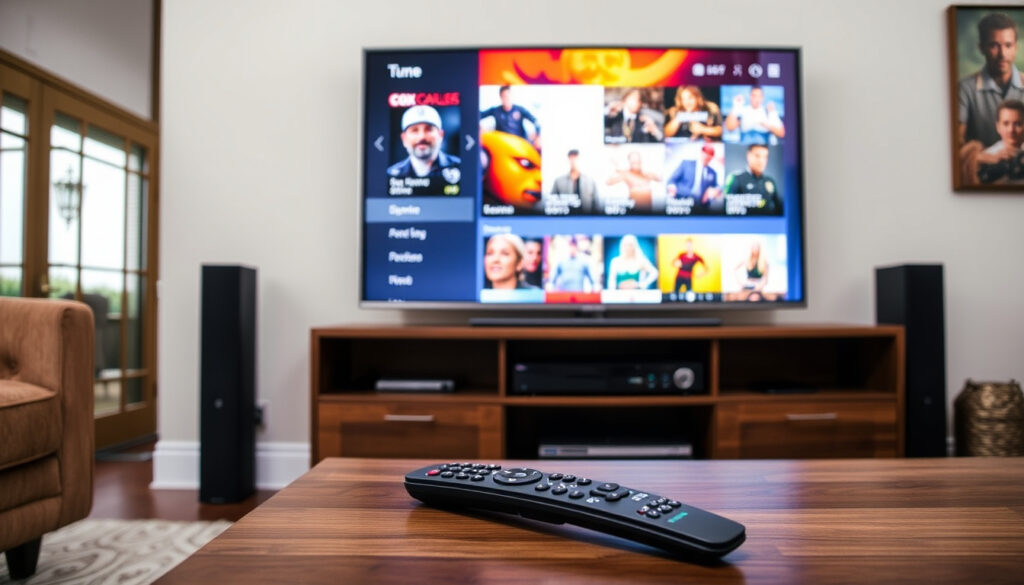
Cox Cable TV 2026: Plans, Prices, Channel Lineup & Review
Unlike most cable providers, Cox Communications now offers a full-featured Contour TV platform alongside a stripped-down, streaming-only plan called Cox TV Lite. Here’s what you need to know about the plans, prices, and how to watch without a box.
Customers served: 6.5 million ·
Years in operation: Since 1962 ·
Starting TV price (Cox TV Lite): $30/month ·
Contour Starter channels: 75+ ·
US ranking (cable TV): 3rd largest
Quick snapshot
- Cox is the third-largest US cable provider (Wikipedia)
- Cox TV Lite starts at $30/month with 60+ channels (Cox Residential TV)
- Contour TV app available on smart TVs, Roku, Apple TV (Cox Residential TV)
- Exact channel numbers vary by market (Cox Business TV Channel Guide) (Cox TV Packages page)
- Promotional pricing end dates and post-promo rates are not public (Cox TV Packages page)
- Full list of compatible smart TV brands may change (Cox TV Packages page)
- Channel lineup PDFs updated March 2024 for multiple markets (Fairfax County PDF)
- Cox continues expanding Contour app to more devices (Cox Residential TV)
Six key facts sum up what Cox TV offers and where it fits in the market:
| Attribute | Detail |
|---|---|
| Parent company | Cox Communications (founded 1962) |
| Customer base | ~6.5 million |
| TV plans (minimum price) | $30/month (Cox TV Lite) |
| TV plans (full price range) | $30–$110/month (varies by location) |
| Box-free option | Yes (Contour TV app) |
| Availability | 18 US states (limited to Cox service areas) |
What is Cox TV?
Cox TV is the cable television arm of Cox Communications, which has been serving residential customers since 1962. It ranks as the third-largest cable TV provider in the United States, behind only Xfinity and Spectrum.
How does Cox Contour TV differ from traditional Cox cable?
- Contour TV is the latest platform that blends live cable channels with streaming apps. According to Cox’s official TV page, it includes integrated access to Netflix, Prime Video, and Peacock on the same interface.
- Traditional Cox cable relied on a set-top box; Contour TV can be accessed via the Contour app without a box.
- Three tiers: Starter ($80/mo, 75+ channels), Preferred ($140/mo, 140+ channels), Ultimate ($184/mo, 250+ channels) – all per Cox Residential TV.
What is Cox TV Lite?
- Cox TV Lite is a streaming-only plan at $30/month with 60+ live channels and on-demand content. Cox describes it as “available with no term agreement with internet” and streamable on the Xumo Stream Box or Contour app.
- It does not require a traditional set-top box, making it the cheapest entry point for cord-cutters.
Cox now offers both a premium cable experience and a streaming-only alternative under the same roof. The catch: you give up some channels and DVR features on the Lite plan, but you gain flexibility and a lower starting price.
The pattern: Cox is hedging its bets by offering a hybrid – traditional cable with streaming bells for those who want it, and a pure-streaming option for those who don’t.
What are the pros and cons of Cox TV?
Pros: channel variety, Contour app, no contract options
- Wide range of channels: Starter includes CBS, NBC, FOX, PBS; Preferred adds ESPN, HGTV, USA; Ultimate includes NFL Network, Disney Junior, Cleo TV (Cox Residential TV).
- Contour TV app works on Samsung and LG smart TVs, Roku, Apple TV, and mobile devices – watch anywhere on your account.
- Cox TV Lite has no long-term contract required (Cox Residential TV).
Cons: price increases, limited availability, equipment fees
- Prices do not include taxes, surcharges, or equipment fees – and promotional rates eventually end (Cox TV Packages page).
- Service is only available in 18 states where Cox operates, mostly in the South, Midwest, and California.
- Equipment fees for Contour boxes can add $10–$20/month if you don’t use the app.
Upsides
- No contract on Lite plan
- Integrated streaming apps
- Box-free viewing option
Downsides
- Promo pricing ends
- Limited geographic coverage
- Extra fees for equipment
The trade-off: Cox offers more flexibility than many traditional cable providers, but the true monthly cost after promotional periods can be a surprise for budget-minded households.
How do I get Cox on my smart TV?
Using the Cox Contour TV app on smart TVs
- Make sure you have an active Cox TV subscription (any plan except maybe the most basic).
- On your Samsung, LG, or other supported smart TV, go to the app store and search for “Contour TV”.
- Download and install the app, then sign in with your Cox user ID and password.
- You can now watch live channels and on-demand content without a set-top box.
Cox’s official site confirms the app is available on select smart TV brands, Roku, Apple TV, and mobile devices. A Cox TV subscription is required.
Streaming Cox TV without a set-top box
- Use the Contour app on a streaming device (Roku, Amazon Fire TV, Apple TV) or on a smartphone/tablet.
- Cast to your TV via Chromecast or AirPlay if supported.
- Cox TV Lite is designed specifically for box-free streaming – you get access via the Contour app or Xumo Stream Box.
Connecting your TV to Cox cable
- If you prefer a traditional setup, connect the coaxial cable from your wall outlet to the Cox-provided set-top box, then connect the box to your TV via HDMI.
- For Contour TV, you can also connect the box via HDMI and use the voice remote.
Why this matters: The whole process takes about 10 minutes, and the app method eliminates the need for extra hardware – a real advantage for households that want a clean setup.
Can I watch Cox TV without a box?
Streaming on mobile devices
- Yes – the Contour TV app lets you stream live TV and recordings on your smartphone or tablet anywhere you have internet.
- According to Cox, you can watch on up to two devices simultaneously (may vary by plan).
Using the Contour TV app on a computer
- Go to contour.cox.com and log in with your Cox account. You can watch live and recorded shows directly in a web browser.
Cox TV Lite and box-free options
- Cox TV Lite is entirely box-free – you stream via the app or use the Xumo Stream Box (which is more of a streaming stick than a traditional cable box).
- For other plans, you can choose to use only the app and forgo the rented box, saving on equipment fees.
The implication: For the first time, Cox customers can completely cut the cord (and the box rental fee) while keeping their cable subscription.
What is the cheapest way to get TV without internet?
Cox TV Lite as a standalone option
- Cox TV Lite costs $30/month and does not require an internet subscription from Cox (though you need internet to stream). Over-the-air antenna is cheaper initially, but Cox TV Lite gives you 60+ channels including entertainment and news.
Antenna vs. Cox TV Lite
- An antenna costs a one-time fee of $20–$50 and delivers local channels only (CBS, NBC, ABC, FOX, PBS).
- Cox TV Lite adds cable channels like CNN, HGTV, and Food Network, plus on-demand content, for $30/month.
Cost comparisons of TV-only plans
The table below compares the costs and channel counts of different TV options.
| Option | Monthly cost | Channels | Box required |
|---|---|---|---|
| Over-the-air antenna | $0 (one-time hardware) | Local channels only | No |
| Cox TV Lite | $30 | 60+ live + on-demand | No (app/Xumo) |
| Contour Starter | $80 | 75+ channels | Optional |
| Contour Preferred | $140 | 140+ channels | Optional |
The pattern: Cox TV Lite is the cheapest way to get a cable-style lineup without internet – but an antenna is still king for budget-only local TV.
If you already pay for internet, Cox TV Lite can be a great add-on. But if you’re trying to avoid internet entirely, an antenna is your only zero-monthly-fee option.
Confirmed facts
- Cox is third-largest US cable provider (Wikipedia)
- Cox TV Lite exists at $30/month (Cox Residential TV)
- Contour TV app works on many smart TV platforms (Cox Residential TV)
What’s unclear
- Exact channel count for each tier varies by market
- Future price increases after promotional periods are not uniform (Cox TV Packages page)
- Full list of smart TV brands supporting Contour app may change
What are Cox cable TV packages and prices?
Cox Contour TV package details
Cox’s Contour TV comes in three tiers: Starter at $80/month with 75+ channels, Preferred at $140/month with 140+ channels, and Ultimate at $184/month with 250+ channels. Each tier includes access to the Contour app and integrated streaming apps like Netflix and Prime Video on the Preferred and Ultimate plans.
Cox TV Lite pricing
Cox TV Lite is the entry-level streaming-only plan at $30/month with 60+ live channels and on-demand content. It is designed for cord-cutters and does not require a long-term contract when bundled with internet.
Channel lineups for each package
Channel lineups vary by market. Cox provides location-specific PDFs updated as of March 2024. Starter includes locals like CBS, NBC, FOX, PBS; Preferred adds ESPN, HGTV, USA; Ultimate includes NFL Network, Disney Junior, Cleo TV. Exact counts and specific channels depend on your address.
The takeaway: Pricing and channel availability are location-dependent, so verifying your address on Cox.com is essential before choosing a plan.
“Cox TV gives you full access to live network television, premium channels and On Demand content.”
Cox Communications (official website)
“Cox offers customizable TV plans with over 75 channels starting at $80/month.”
“Cox Communications is the third-largest cable television provider in the United States, serving approximately 6.5 million customers.”
For budget-conscious households, the decision comes down to how much content you want and whether you’re willing to commit to internet. Cox TV Lite gives you a middle path – real cable channels without the hardware rental. For seniors and light TV viewers, that $30/month plan is the strongest value in Cox’s lineup. For everyone else, Contour TV with its hybrid app approach is a solid upgrade over the old box-and-coax days. The implication for budget-conscious households: if you can stream, you can save with Cox’s box-free options.
cabletv.com, cox.com, allconnect.com, cabletv.com, cox.com, cox.com, allconnect.com, cox.com, cox.com
Frequently asked questions
Does Cox TV require a contract?
Cox TV Lite is available with no term agreement when bundled with internet. Other plans may have 1- or 2-year contracts; check your local offer.
Can I watch Cox TV on multiple TVs?
Yes. With a Contour box or the Contour app, you can watch on multiple TVs in your home. Simultaneous streams depend on your plan.
Is Cox TV available in my area?
Cox serves parts of 18 states. Go to Cox.com and enter your address to check availability.
What internet speed do I need for Cox Contour TV app?
Cox recommends at least 10 Mbps for reliable streaming. Faster speeds improve quality for 4K content and multiple streams.
Does Cox offer senior discounts on TV?
Cox occasionally offers promotional pricing, but no permanent senior discount. Some third-party reviews mention senior-specific bundles from time to time.
How do I cancel Cox TV service?
Call Cox customer service at 1-800-234-3993 or visit a local Cox store. You may need to return equipment. Cancellation policies vary by contract.
More related posts
 Cast Of Despicable Me 4
 Cast Of Dear Santa Upcoming Film
 Cast Of Long Bright River
 Cast Of The Deliverance
 Luna Blaise Movies and TV Shows: Full Filmography & Biography
 Oshi no Ko: Story, Controversy, Season 3, and Ending
 Neil Flynn Biography: Scrubs Janitor and The Middle Dad
 Cameron Boyce Cause of Death: SUDEP, Epilepsy & Legacy
