How to Watch Apple TV on Roku: Setup, Cost & Troubleshooting
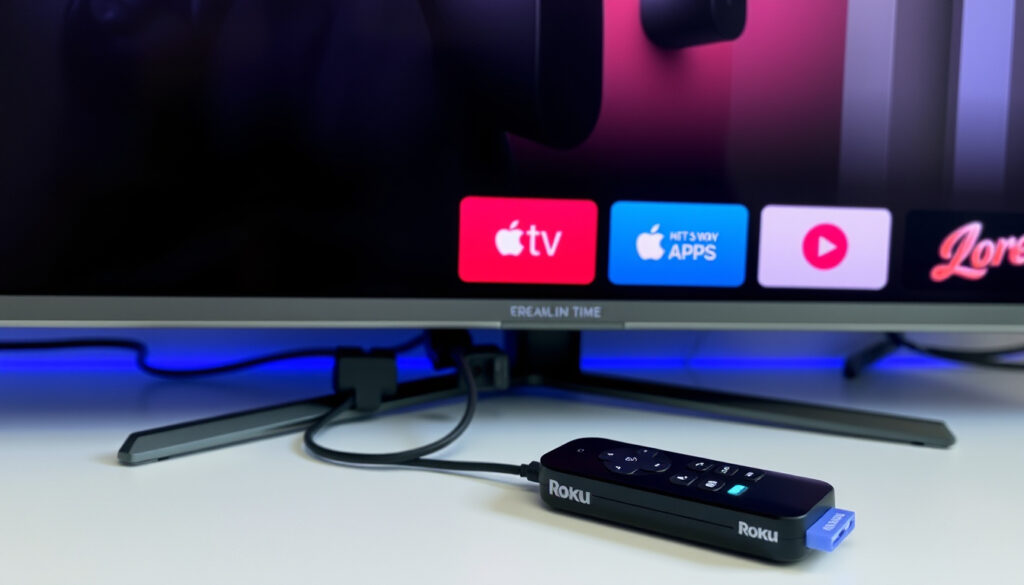
You don’t need an Apple TV to enjoy Apple TV+ — you can add the Apple TV app to your Roku in about three minutes with no Apple device required. Here’s exactly how to set it up, what it costs, and what to do when something doesn’t work.
Monthly cost on Roku: $12.99 or $99 per year ·
Free trial duration: 7 days ·
Setup steps: 3 (search, add, sign in) ·
Roku devices supported: All Roku streaming players and Roku TV models
Quick snapshot
- Apple TV+ available on all Roku streaming players and Roku TVs via the Apple TV channel (Apple Support)
- Monthly price $12.99, annual $99 when subscribed through Roku (Roku Support)
- Roku supports AirPlay 2 on select models (Roku Support)
- Free trial eligibility for returning subscribers may change (Apple Support)
- Exact library of Apple Originals on Roku not specified by Apple (Apple Support)
- Setup time may vary depending on device and network (no official source states exact time) (Apple Support)
- March 2026: Roku added Apple TV+ to The Roku Channel premium subscriptions (Roku Support)
- Expect more Roku models to gain AirPlay 2 through OS updates (Roku Support)
Five key figures, one pattern: the Apple TV+ cost on Roku matches Apple’s direct pricing, but the flexibility depends on your device generation.
| Attribute | Value |
|---|---|
| Apple TV+ monthly price | $12.99 |
| Annual price | $99 |
| Free trial length | 7 days |
| Setup time | Under 5 minutes |
| Roku models supported | All Roku streaming players and Roku TVs |
Can you watch Apple TV on a Roku?
Yes — the Apple TV app is available on supported Roku devices and can be installed from the Roku Channel Store, according to Apple Support (official device compatibility guide). You’ll need a compatible Roku streaming player or Roku TV and an internet connection. The app itself is free to download; you only pay for Apple TV+ content or rentals.
- Apple TV app includes Apple Originals and content you purchase or rent through Apple (Apple Support)
- No Apple device is required to install or use the channel (Roku Support)
Roku owners gain access to the same Apple TV+ catalog as Apple TV hardware users — the only difference is the remote in your hand.
The implication: Roku owners gain full access to Apple TV+ without buying an Apple device.
How much is Apple TV a month on Roku?
Apple TV+ costs $12.99 per month or $99 per year when subscribed through The Roku Channel, as reported by Roku Support (official billing page). Eligible new subscribers get a 7-day free trial. There is no additional Roku fee — you pay only the subscription charge.
Can I get Apple TV on Roku for free?
Yes, in limited cases. Apple often bundles a free 3–6 month trial with the purchase of a new iPhone, iPad, Mac, or Apple TV. Those offers apply to the Roku app as well — you just sign in with the same Apple ID. The Roku channel itself is free to download.
- Free trial length for new subscribers: 7 days (Apple Support)
- Free access via Apple device purchase: varies by promotion (Apple’s standard offer)
What’s the cheapest way to get Apple TV?
The yearly plan at $99 works out to $8.25/month — a 36% savings over the monthly $12.99. If you can pay upfront, the annual subscription is the best deal. No Roku subscription tier adds a discount.
For long-term subscribers, the annual plan saves roughly $57 per year compared to month-to-month, but you’ll need to commit upfront.
The implication: the cheapest entry is the 7-day free trial, followed by the annual plan. Monthly is convenient but most expensive over time.
Why is Apple TV not showing up on my Roku TV?
Several reasons can prevent the Apple TV channel from appearing. The most common, according to Apple Support (channel availability guide), are outdated Roku firmware, regional unavailability, or simply not having added the channel yet.
- Update your Roku: Go to Settings > System > System update. Install any pending updates (Roku Support)
- Region block: Apple TV+ is available in many countries, but if you’re outside a supported region, the channel may not appear in the store
- Channel not added: You must add the channel from the Roku Channel Store — searching alone won’t install it
Why can’t I download Apple TV on my Roku?
If the “Add channel” option is grayed out or missing, your Roku model may be too old. Apple states the app is available on “select Roku streaming devices and Roku TV models” (Apple Support). Check Roku’s model compatibility list in Settings > System > About.
Another cause: voice search sometimes shows results that aren’t actually in the channel store. Always search via Streaming Channels > Search Channels, not voice.
Did Roku remove Apple TV?
No. As of March 2026, Apple TV+ remains available on Roku. In fact, Roku added it to The Roku Channel’s premium subscription lineup that month, expanding access (Roku Support). If you can’t find it, the issue is likely device compatibility or region, not removal.
The pattern: most “missing channel” reports trace back to outdated OS or wrong search method. A system update fixes the majority of cases.
How to use the Apple TV channel on your Roku streaming device?
Adding the Apple TV channel takes three steps, as outlined by Apple Support (installation instructions).
- On the Roku home screen, select Streaming Channels > Search Channels
- Type “Apple TV” and select the Apple TV channel from results
- Choose “Add channel,” then open the channel and sign in with your Apple ID
Alternatively, you can subscribe directly from The Roku Channel: go to The Roku Channel > Premium Subscriptions > Apple TV+. That method handles billing through Roku rather than Apple (Roku Support).
Can I add Apple TV to my Roku?
Yes — the same process works for any compatible Roku device. If your Roku model is supported (check the Apple Support page), you can add the channel today.
How to get Apple TV on Roku TV?
Roku TVs (brands like TCL, Hisense, Sharp) run the same Roku OS. Navigate to the Channel Store exactly as you would on a Roku streaming stick. TCL Support (official Roku TV guidance) confirms Apple AirPlay and HomeKit are available on select TCL Roku TV models as well.
The catch: while the channel is easy to add, the subscription commitment requires an Apple ID or a Roku account with payment method.
How to watch Apple TV on Roku without Apple TV?
If you don’t have an Apple TV subscription, you can still watch Apple Original content using AirPlay — provided you own an Apple device. Roku Support (AirPlay setup guide) states you need a compatible Roku device and a compatible Apple device on the same Wi‑Fi network.
- Enable AirPlay on Roku: Settings > Apple AirPlay and HomeKit > AirPlay On
- On iPhone/iPad: Open Control Center, tap Screen Mirroring, select your Roku
- No subscription needed — AirPlay mirrors or streams whatever is on your Apple device
How to use AirPlay and HomeKit with your Roku streaming device?
Roku devices with AirPlay 2 support display an eight-digit HomeKit code when pairing. Scan that code with your iPhone or iPad to link HomeKit. According to Roku Support, you must have both devices on the same main network (not guest Wi‑Fi).
- Common AirPlay failures: devices on different Wi‑Fi bands, VPN active on Apple device, or multicast filtering on the router (Whizz Experts (troubleshooting resource))
- A network reset often restores AirPlay when other fixes fail, per Apple Community user reports
What this means for Roku users without an Apple device: the only way to watch Apple TV+ directly is through a subscription. AirPlay is not an option without an iPhone, iPad, or Mac.
Pros and Cons of Watching Apple TV on Roku
Upsides
- No Apple hardware required — just a Roku and internet
- Same pricing as Apple’s own platform (Apple Support)
- 7‑day free trial for new subscribers
- AirPlay 2 support on compatible Roku models
- Quick setup under 5 minutes
Downsides
- Limited to Apple TV+ — no movie rentals directly from Apple on Roku
- Free trial only for new subscribers, terms can change
- AirPlay requires an Apple device
- Some older Roku models lack the app or AirPlay
- Not available in every region
The balance: for Roku users without Apple devices, the subscription is the only path; for those with Apple devices, AirPlay offers a free alternative.
Step by Step: Setting Up Apple TV on Roku
- Check compatibility: Ensure your Roku device is supported. Visit Apple Support (device list) to confirm.
- Update Roku OS: Go to Settings > System > System update > Check now. Install any pending updates (Roku Support).
- Add the Apple TV channel: On the Roku home screen, select Streaming Channels > Search Channels, type “Apple TV,” then select Add Channel.
- Sign in or subscribe: Open the new channel. If you have an Apple ID, sign in. If not, choose “Subscribe” through The Roku Channel or directly via Apple.
- Start watching: Browse Apple Originals and any purchased content. For AirPlay, enable it in Settings > Apple AirPlay and HomeKit.
Once you’ve completed these steps, you can start streaming Apple Originals directly on your Roku.
Timeline: Apple TV+ on Roku
- March 2026 — Roku added Apple TV+ to The Roku Channel premium subscriptions, allowing direct sign‑up without an Apple device (Roku Support).
This update made it easier for Roku users to subscribe without needing an Apple ID.
Clarity: What We Know vs. What’s Uncertain
Confirmed facts
- Apple TV+ is available on Roku via the Apple TV channel and The Roku Channel (Apple Support).
- Monthly cost is $12.99 (or $99/year) when subscribed through Roku (Roku Support).
- Roku supports AirPlay 2 for streaming from Apple devices (Roku Support).
What’s unclear
- Exact availability of free trial for returning subscribers is subject to change (Apple Support).
- Number of Apple Originals available on Roku is not specifically listed.
- Setup time may vary depending on device and network (no official source states exact time).
The known facts are well-documented by Apple and Roku, while uncertainties remain around trial eligibility and exact content library.
What Experts Say
“On your Roku home screen, select Search Channels. Search for ‘Apple TV.’ Follow the onscreen instructions for adding a channel.”
— Apple Support (official setup guide)
“You must have a compatible Roku device and a compatible Apple device on the same wireless network to use AirPlay.”
— Roku Support (AirPlay requirements)
“Apple AirPlay and HomeKit are available on select TCL Roku TV models.”
— TCL Support (Roku TV compatibility)
These expert sources confirm the steps and requirements for using Apple TV and AirPlay on Roku.
Bottom Line
For Roku users in the US, the decision to subscribe directly through The Roku Channel is clear: you get the same content with fewer steps, just remember to stack the free trial before your annual plan. If you already own an Apple device, AirPlay remains the cheapest bridge. For everyone else, the best Roku TV models support the app, and the $8.25/month annual plan on Roku is the most straightforward path to Apple’s best originals.
If you’re also exploring other streaming content, check out where to watch Outlander across various platforms.
For a more detailed breakdown of each step, the guide on watching Apple TV on Roku offers a thorough walkthrough of the entire process.
Frequently asked questions
Does Roku have an Apple TV app?
Yes, the Apple TV app is available on all supported Roku devices and Roku TVs. It can be added from the Roku Channel Store.
Can I watch Apple TV+ offline on Roku?
No, the Roku version of the Apple TV app does not support downloads. Offline viewing is only available on Apple devices.
Do I need an Apple ID to subscribe on Roku?
Yes, you need an Apple ID to sign in to the Apple TV app. Alternatively, you can subscribe through The Roku Channel using your Roku account.
Is Apple TV+ available on Roku outside the US?
Apple TV+ is available in over 100 countries, but availability on Roku varies by region. Check the Roku Channel Store for your region.
How do I cancel Apple TV+ on Roku?
If you subscribed via The Roku Channel, go to Settings > Subscriptions > Apple TV+ and cancel. If you subscribed via Apple, cancel on Apple’s website.
Can I share my Apple TV+ subscription on Roku with family?
Yes, Apple TV+ supports Family Sharing. The organizer can share with up to five family members, who can sign in on their own Roku devices.
These answers cover the most common questions about using Apple TV on Roku.
More related posts